
Quick Summary
When an automated driveway gate stops moving or trips circuit breakers, performing a safe gate motor reset requires checking power supplies, sensor alignments, and physical tracks before attempting to cycle the operator. Ironworks Gate Co. highlights that while basic reset procedures can restore responsiveness, continuous resets cannot resolve mechanical binding, worn hardware, or faulty safety devices. By following these diagnostic steps, property owners can safely clear minor errors and know when to call (747) 277-8422 for professional same-day assistance.
Gate Motor Reset: Safe First Checks and When to Call a Technician
When an automated driveway gate stops midway through its cycle or refuses to move, attempting a reset is often a homeowner’s first reaction. However, reset procedures vary by model, and you should use only the operator’s designated reset or stop/reset control and follow the manufacturer’s manual. Resetting the control cannot resolve physical resistance, structural damage, broken hardware, or misaligned safety devices. A successful reset does not prove the gate is safe or fix an underlying mechanical, structural, electrical, or safety-system defect.[2]
Relying on repeated resets when a gate is binding or dragging can cause further equipment damage or safety hazards. Safety is a primary concern: the CPSC estimated approximately 1,500 automatic-gate emergency-room injuries during 2011-2015, or about 300 per year. (This estimate concerns injuries, not reset frequency or reset success.)[1] See also Electric Gate Motor Troubleshooting – 10% Off & Free Estimate – Same-Day Service.
If your gate is unresponsive or tripping the breaker, work through the safe diagnostic checks below to determine whether qualified service is needed. For professional service in Alhambra and throughout the San Gabriel Valley, advertiser Ironworks Gate Co. can be contacted at (747) 277-8422 (advertiser claims include same-day dispatch and a written Done Right Promise).[3]
Gate Motor Reset: Quick Diagnostic Overview
Quick Diagnostic Summary: Before attempting any reset, verify the driveway and travel path are completely clear of people, vehicles, and obstructions. Check the visible status of safety devices, and use only the operator’s designated reset or stop/reset control following the manufacturer’s manual. If the motor trips again immediately, stop resetting and obtain qualified service.
A designated reset control acts only according to the unit’s control logic. It will not clear an obstructed optical sensor, a damaged safety edge, or mechanical binding in the gate leaf or track. A successful reset does not prove the gate is safe or fix an underlying mechanical, structural, electrical, or safety-system defect.
Key Takeaways for Homeowners
- Identify root causes: Reset controls do not repair mechanical drag, damaged hardware, or failed safety sensors.
- Never open energized enclosures: Do not touch wiring or internal electrical components on live equipment.
- Check manual movement safely: If the gate cannot be moved smoothly by hand when properly disengaged, the operator should not be run.
- Avoid repeated resets: Continuously resetting a stalled operator can lead to further mechanical and electrical damage.
What You Need Before Checking Your Electric Gate Motor
Keep these basic items on hand before starting your safe visual check:
Safety and Mechanical Items
- Manual release key or tool: Disengages the drive mechanism so you can test manual gate movement according to the manual.
- Clean microfiber cloth: Gently clears dust, cobwebs, and debris off optical sensor lenses.
- Work gloves and flashlight: For safely checking tracks, rollers, and surrounding areas.
Reference Materials
- Operator owner’s manual: Details model-specific instructions, designated reset controls, diagnostic indicators, and limit-setting procedures.
Step 1: Check the Power Supply and Circuit Breakers
Before checking the gate operator, verify whether electrical power is reaching the system.
Checking the Electrical Panel
- Locate your home’s main electrical panel or the dedicated exterior sub-panel feeding the gate.
- Check the breaker labeled for the gate operator. If tripped, switch it fully off and then back on once according to standard panel operation.
Checking the GFCI Receptacle
Where an exterior GFCI outlet powers secondary accessories, environmental moisture can trip the outlet.
- If an exterior GFCI outlet is present, press its reset button until it sets.
- If the breaker or GFCI trips repeatedly, stop and contact a qualified electrician or gate technician. Do not attempt to measure internal voltages or inspect energized electrical components.
Step 2: Inspect Safety Sensors and Clear Track Debris
Modern gate operators are designed to stop or reverse if safety inputs are active. Common documented causes can include obstructions, activated safety or edge inputs, alarm conditions, or an engaged stop/reset control.
Checking Photo-Eye Status
- Locate the optical safety sensors mounted along the gate opening.
- Check the visible status indicators on the units as described in your operator’s manual to verify alignment.
- Gently wipe away cobwebs, dirt, and moisture from sensor lenses with a clean cloth.
- Check that mounting brackets have not been visibly knocked out of alignment.
Clearing the Physical Path
- For sliding gates, clear the ground track of rocks, dirt, leaves, and debris.
- For swing gates, verify that the swing path is clear of ground contact, overgrown landscaping, and surface obstructions.
Step 3: Disengage the Motor and Test Manual Gate Travel
Disconnecting the drive mechanism allows you to check for mechanical binding without operating the motor.
Using the Manual Release
- Follow the manufacturer’s manual to safely engage the manual release mechanism.
- Gently move the gate through its full travel stroke by hand.
What to Look For
Take note of any physical binding or resistance:
- Scraping or dragging: Bottom edges rubbing against pavement indicate hinge or post deflection.
- Rough or grinding rollers: Damaged rollers or worn bearings create heavy resistance.
- Binding at specific points: Mechanical resistance during travel indicates misaligned hinges, bent tracks, or structural issues.
If manual movement is stiff or obstructed, the mechanical issue must be corrected by a qualified technician before operating the motor.
Step 4: Execute the Model-Specific Reset Procedure
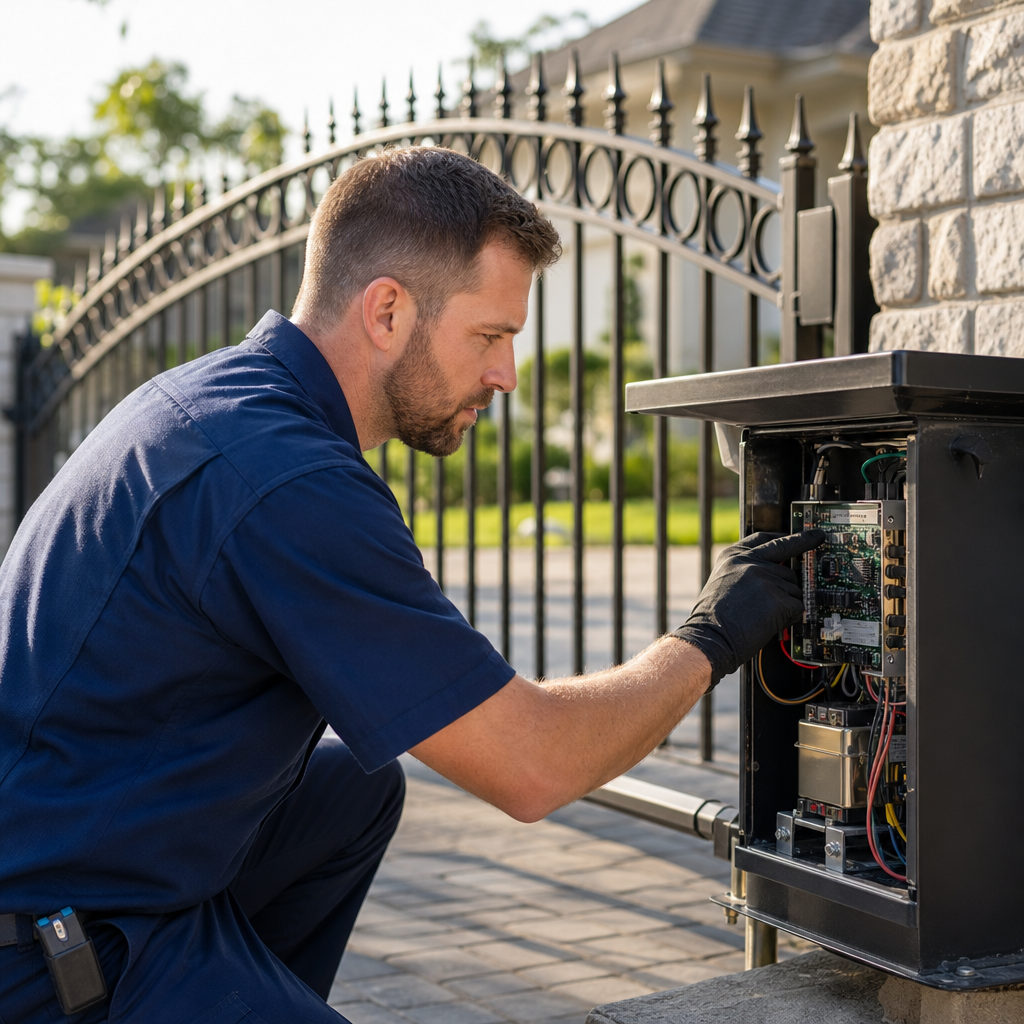
If the gate moves freely by hand and all safety paths are clear, consult the manufacturer’s manual for the designated reset method.
- Verify that all people, pets, and vehicles are clear of the gate’s entire operating path.
- Use only the operator’s designated reset or stop/reset control as specified in your model’s manual. Do not open energized enclosures to access internal components.
- Follow the exact procedure and sequencing detailed in the equipment manual.
- Observe external diagnostic indicators or display readouts where equipped, referencing the manual’s code index.
Step 5: Check Gate Travel Limits and Re-Engage the Drive
Limit procedures differ substantially by model and may involve power cycling, manual positioning, limit cams, switches, magnets, or controller programming. Require the applicable manual before proceeding.
Re-Engaging the Drive Mechanism
Following the manufacturer’s instructions, re-engage the manual release mechanism and ensure the drive system is securely locked before attempting motorized operation.
Calibrating Limits
- Refer to the specific operator manual for the required limit-setting sequence.
- Follow model-specific instructions for setting open and closed travel limits.
- Test operation using designated controls while observing the full cycle from a safe distance.
- Verify that the gate stops at designated points without striking physical stops excessively.
Model-Specific Considerations
Reset and diagnostic procedures differ significantly across manufacturers and individual product lines. Always consult the exact operator manual for your unit before proceeding.
- LiftMaster / Chamberlain: Refer to the specific model manual for designated stop/reset button locations, entrapment alarm reset instructions, and diagnostic code definitions.
- DoorKing (DKS): Consult the model manual for power switch operation, reset procedures, and safety input indicator interpretations.
- Ghost Controls / Mighty Mule: Check manufacturer documentation for model-specific power-cycling procedures, battery checks, and control settings.
- Viking Access, Nice, and Apollo: Review the respective technical manual for digital controller reset sequences and manual disconnect switch requirements.
Risks of Repeatedly Resetting a Stalled Operator
When an operator stops operating, built-in protection circuits or external safety devices may be active. Repeatedly attempting to reset or force an operator against a mechanical obstruction or active fault can lead to electrical or mechanical component damage.[4]
A successful reset does not prove the gate is safe or fix an underlying mechanical, structural, electrical, or safety-system defect. As technicians at Ironworks Gate Co. point out, addressing physical drag, track obstructions, or safety sensor faults promptly helps prevent premature equipment failure and hazardous conditions.
Professional Gate Diagnostics in the San Gabriel Valley
If model-specified reset procedures do not restore safe operation, professional diagnosis is recommended.
According to the advertiser, Ironworks Gate Co. provides diagnosis and repair for residential and commercial gate systems in Alhambra, Pasadena, San Marino, Arcadia, and surrounding communities, servicing major operator brands including LiftMaster, DoorKing, Viking, BFT, and Apollo.
The advertiser states that services include written quotes and are backed by a Done Right Promise. Contact: (747) 277-8422.
Frequently Asked Questions About Gate Motor Resets
How do I reset my automatic gate opener motor?
Ensure the gate path is completely clear of people and vehicles. Use only the operator’s designated reset or stop/reset control and follow the manufacturer’s manual. A successful reset does not prove the gate is safe or fix underlying defects. If the operator fails to run or trips again, contact a qualified technician.
Where is the reset button located on an electric gate motor?
Reset control locations vary by manufacturer and model. Some units feature an external designated reset switch or stop/reset control, while others require specific power-cycling sequences. Consult your specific operator manual to locate the designated control.
Why does my electric gate motor keep tripping or failing to respond?
Common documented causes can include obstructions, activated safety or edge inputs, alarm conditions, or an engaged stop/reset control, as well as mechanical binding or power supply issues. Stop attempting resets if tripping persists.
How do you reset the limit switch settings on a sliding or swing gate?
Limit procedures differ substantially by model and may involve power cycling, manual positioning, limit cams, switches, magnets, or controller programming. Always obtain and follow the applicable manual before proceeding.
How do I reset specific brands like LiftMaster, Ghost Controls, or Mighty Mule?
Procedures are model-specific. Consult the exact operator manual for your model to identify the correct reset sequence, diagnostic indicators, and safety guidelines.
What should I do if resetting the gate motor does not fix the issue?
Safely disengage the drive according to manufacturer instructions and check whether the gate moves freely by hand. Check visible safety sensor status and verify that the path is clear. Do not open energized enclosures or attempt to measure live electrical voltages; contact a qualified technician.
When is it necessary to call a professional gate technician instead of attempting a DIY reset?
Obtain qualified service immediately if the operator repeatedly trips, electrical components smell burnt, a safety device is not recognized, hydraulic fluid is leaking, or the gate leaf is physically binding or dragging. Never bypass entrapment protection devices or open energized electrical enclosures.
Sources
- 2024-11-20-COPF-CODD-Hummingbird-Alliance-Meeting- … – cpsc.gov (2024)
- New Safety Standard for Automatic Security Gates Helps … – cpsc.gov (2001)
- [PDF] Proposed Rule: Safety Standard for Gates and Enclosures – cpsc.gov (2019)
- 3170-02R-2007-English.html – obis.osha.gov (2007)
Related reading: How to Open Electric Gate During Power Outage | 10% Off & Free Estimate | Same-Day Service
Frequently Asked Questions
What should I do if my gate motor emits a continuous alarm or beeps after a reset attempt?
Continuous beeping typically indicates an activated entrapment protection alarm triggered by repeated obstructions or failed safety sensors. Turn off main power to clear the siren and inspect the gate path for physical resistance. If the alarm sounds again upon restoration, contact Ironworks Gate Co. at (747) 277-8422 for immediate diagnostic support.
Why does my gate motor fail to reset even though the circuit breaker is not tripped?
When the main breaker is active, the issue often stems from a tripped exterior GFCI outlet, dead backup batteries, or misaligned photo-eye sensors. Reset any secondary GFCI receptacles and gently clean the sensor lenses with a microfiber cloth. If the operator remains unresponsive, call Ironworks Gate Co. to safely inspect control board circuits and wiring.
Why does my gate motor immediately trip the breaker again right after being reset?
An immediate breaker trip upon resetting points to a direct electrical short, moisture intrusion in the junction box, or a mechanically seized drive assembly. Avoid repeating the reset sequence to prevent motor burnout or electrical fire risks. Reach out to Ironworks Gate Co. at (747) 277-8422 for same-day professional diagnostics backed by a Done Right Promise.
About the author
 |
Sarah Miller Sarah is a seasoned technical writer with over 8 years of experience in the home services industry, specifically focusing on automated gate systems and property access control. She holds a B.A. in Communications from California State University, Fullerton, and works closely with licensed technicians to translate complex mechanical and electrical repair processes into accessible, transparent guides for homeowners and property managers. Her expertise lies in breaking down gate repair costs and maintenance best practices for Southern California residents. |
Gate not opening, off track, or opener dead?
We’re available now - call for a fast, free estimate.
Call Now - Free Estimate