
Quick Summary
When an automatic driveway gate fails to respond to a remote clicker, the breakdown usually stems from depleted transmitter batteries, radio-frequency interference, receiver antenna faults, or triggered safety sensors. The diagnostic guide from Ironworks Gate Co. outlines clear troubleshooting steps to isolate whether the issue lies in the handheld transmitter, signal programming, or the gate operator's internal circuitry. Readers will learn how to resolve basic remote glitches independently and determine when complex receiver damage or logic board faults require professional technician support.
Why Is My Gate Remote Not Working? Fast Fixes & Repair
Safety Note: Automatic gate systems use high-voltage power lines and moving mechanical parts. Never place hands into moving parts, force drive arms, or bypass safety devices. Do not perform internal electrical inspections or voltage measurements on energized panels. For control-board work, mechanical faults, energized panels, or uncertain safety conditions, consult a qualified gate technician.
Pulling up to your driveway only to have the gate ignore your remote clicker is a common frustration. While a weak battery is often the cause, issues can also stem from incorrect programming, receiver or antenna problems, radio-frequency interference, channel congestion, or gate-operator faults. Exact diagnosis depends on the equipment manual and system configuration.[2] See also Electric Gate Motor Troubleshooting – 10% Off & Free Estimate – Same-Day Service.
According to the team at Ironworks Gate Co., here is a diagnostic guide to help identify why your driveway gate remote may not be working properly.
Quick Diagnosis: Is It the Remote or the Gate Opener?
Comparing how different controls respond can help narrow down the source of the problem. While observing whether one remote fails versus multiple remotes fail helps distinguish transmitter-specific issues from receiver or radio-environment issues, this is a troubleshooting indicator rather than a population statistic:
- If only one remote fails while others work: The issue is more likely isolated to that specific transmitter’s battery, contacts, or programming.
- If every remote fails: The issue is more likely related to the receiver, antenna, operator power, or local radio interference.
- If hardwired controls still work: The motor and control board are receiving commands, making an issue in the wireless radio-frequency link or programming more likely.
- If no controls work: The issue is more likely an operator power loss, an active safety obstruction sensor, or an internal gate-operator fault.
Step 1: Check Handheld Remote Batteries and Contacts
An illuminated remote LED does not guarantee the battery has sufficient charge to transmit a strong radio signal under load. As batteries age, their output can drop below the level needed for reliable transmission.
Open the remote casing, replace the battery, and inspect the metal contact tabs for dust, bending, or residue. Clean the contacts gently with a dry cotton swab if needed. Additionally, older fixed-code or 433 MHz systems may have replay-security weaknesses; in some cases, remote operation issues may involve compatibility or outdated wireless security rather than only battery or mechanical faults.
Step 2: Inspect Receiver and Antenna Setup
If the remote battery is functional but operating range is severely reduced, the issue may involve the receiver or antenna configuration.
- Antenna Position: Ensure the antenna wire is positioned properly and not shielded inside a closed metal enclosure, which can block incoming radio signals.
- Connections and Wiring: Check external antenna wiring for visible physical damage or loose connections, referring to the manufacturer guidelines for proper setup.
- Moisture Exposure: As noted by Ironworks Gate Co., outdoor receiver enclosures exposed to the elements can suffer from moisture ingress or condensation, which may impair performance.
If checking the antenna requires opening an energized operator cabinet or accessing internal control boards, direct this work to a qualified technician.
Step 3: Check for Radio-Frequency Interference and Congestion
Need why is my gate remote not working?
We’re available now - call for a fast, free estimate.
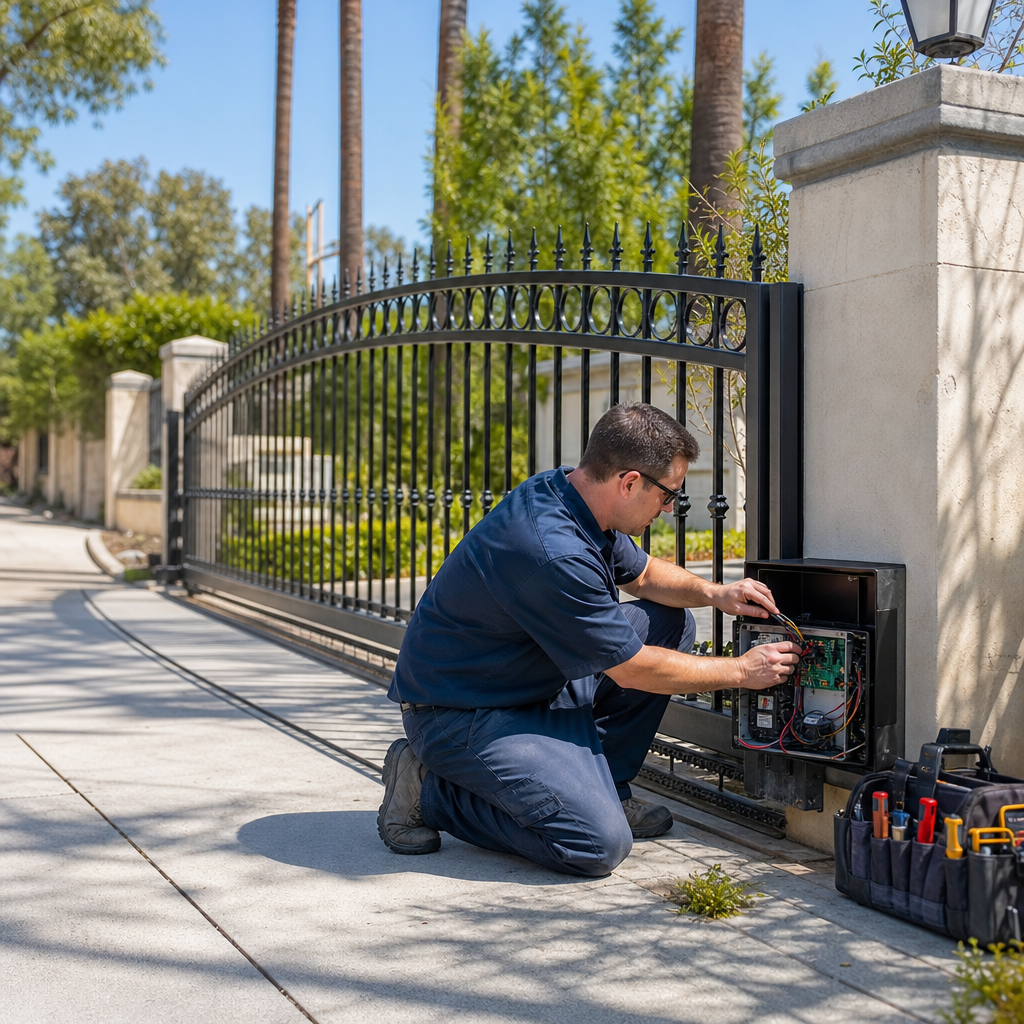
Radio channels can become congested by nearby electronics or wireless devices. Interference and channel congestion cause delayed or lost control commands because electromagnetic noise disrupts communication between the transmitter and receiver.[3]
In a controlled study, eight active interferers increased median task-completion time from 55 to 100 seconds, up to 80%. Unless a specific source is documented for your installed system, general potential sources of interference include:[1]
- Nearby electronics and power supplies located close to the gate or receiver.
- Nearby wireless devices or equipment operating on adjacent frequencies.
Testing temporary shutdowns of nearby non-essential electronic devices can help determine if local radio-frequency congestion is affecting remote responsiveness.
Step 4: Reprogram and Resynchronize the Remote
Programming and pairing procedures differ by model. Always consult your equipment owner manual for the exact steps required for your system.
- Place the receiver in learn mode only as directed by the manufacturer instructions.
- Keep all people, pets, and objects clear of the gate path during programming, as activating programming functions or test signals may cause the gate to move unexpectedly.
- For code-switch remotes, verify that the internal physical switches match the exact configuration specified in the system documentation.
Step 5: Address Operator Faults and Safety Circuits
When remote transmitters and receivers are functioning normally, the gate operator may still refuse to move if a safety sensor is triggered or an internal operator fault occurs. Gate operators are designed to prevent movement when safety inputs detect an obstruction.
- Inspect safety sensors for physical misalignment, dirt, or debris blocking the beam path.
- If the operator control board indicates an internal fault, blown fuse, or mechanical lock, refer to the manual rather than attempting internal electrical repairs.
Replacing the Remote vs. Calling a Gate Repair Professional
Simple maintenance – such as replacing a transmitter battery, cleaning battery contacts, or following standard manual reprogramming steps – can typically be performed by the user.
However, you should contact a qualified gate technician such as Ironworks Gate Co. if:
- Work involves energized electrical panels, control-board diagnostics, or internal voltage checks.
- Wireless and wired controls both fail, and primary power sources or mechanical parts must be inspected.
- The gate operator exhibits mechanical binding, unusual noises, or physical track and hinge alignment faults.
- Safety devices or internal wiring show signs of physical damage, water intrusion, or component failure.
Frequently Asked Questions
Why does my gate remote light up but the gate still will not open?
An illuminated LED indicates only that minimal power is present to light the indicator, not necessarily that sufficient power exists to broadcast an effective signal. If the battery is healthy, the issue is more likely related to programming synchronization, receiver or antenna issues, radio interference, or an active safety sensor. Exact diagnosis depends on the equipment manual and system configuration.
How do I reset or reprogram an automatic driveway gate remote?
Programming procedures differ by model. Consult the equipment owner manual for exact steps. Place the receiver in learn mode only as directed, and ensure people and objects remain clear of the gate area, as programming sequences may activate gate movement.
How do I know if the issue is the remote battery or the receiver?
Testing multiple remotes or a hardwired control can help isolate the issue. While this troubleshooting indicator helps distinguish single-transmitter issues from receiver or radio-environment problems, an exact diagnosis depends on the system configuration and manual specifications.
Can cold weather or moisture cause a gate remote to stop working?
Cold temperatures may reduce battery performance, and moisture or condensation may damage contacts or electronic components. However, no universal temperature or moisture threshold is established.
What causes radio frequency interference with electric gate openers?
Interference is generally caused by nearby electronics or wireless devices operating in the vicinity of the receiver, which can cause signal loss or channel congestion.[4]
How do I open an electric gate during a power outage?
Refer to your system manual for instructions on using the manufacturer-provided manual release mechanism, key, or disconnect lever to safely disengage the operator.
Need why is my gate remote not working?
We’re available now - call for a fast, free estimate.
Sources
- Exploring the Performance and Reliability of … – stacks.cdc.gov (2025)
- Title – nmsl.cs.ucsb.edu
- Search literature – irmng.org
- FoReCo: a forecast-based recovery mechanism for real-time remote control of robotic manipulators – arxiv.org
Related reading: Electric Gate Stuck Open | 10% Off & Free Estimate | On-Site in 60 Minutes
Related reading: How to Open Electric Gate During Power Outage | 10% Off & Free Estimate | Same-Day Service
Related reading: Gate Motor Reset – Call Now-10% Off – Same-Day Service – Free Estimate
Frequently Asked Questions
Why does my gate remote only work when I am standing right next to the gate?
A drastic drop in operational range typically points to a compromised receiver antenna, severe local radio-frequency interference, or an aging transmitter battery. If repositioning the antenna wire outside metal enclosures does not restore distance, Ironworks Gate Co. can test for receiver degradation or internal signal shielding.
What causes an automatic gate remote to repeatedly lose its programming?
Frequent desynchronization usually indicates a failing memory chip on the receiver board, power surges, or severe electromagnetic interference in the area. When a transmitter refuses to hold its code after standard learn-mode setup, a technician must inspect the control board circuitry.
How can I tell if the issue is a burned-out logic board rather than a bad remote?
A damaged logic board is likely if all paired transmitters and hardwired accessories fail simultaneously, or if the operator shows no response despite having active power. Because diagnosing energized panels carries electrical hazards, contact Ironworks Gate Co. at (747) 277-8422 to safely test the control board and internal receiver.
About the author
 |
Sarah Miller Sarah is a seasoned technical writer with over 8 years of experience in the home services industry, specifically focusing on automated gate systems and property access control. She holds a B.A. in Communications from California State University, Fullerton, and works closely with licensed technicians to translate complex mechanical and electrical repair processes into accessible, transparent guides for homeowners and property managers. Her expertise lies in breaking down gate repair costs and maintenance best practices for Southern California residents. |
Gate not opening, off track, or opener dead?
We’re available now - call for a fast, free estimate.
Call Now - Free Estimate